







Photo Editors to Change the Background: 5 Online/Offline Tools
Changing the photo's background is one of the most basic edits that professionals and amateurs do. Whether they capture a product and want to use a plain background, they want to include themselves watching the sunset at the beach. Whatever may be the reasons behind it, one thing is for sure. They do it to make their pictures attractive. There are many free photo background changers available today. We reviewed some of the best online and offline photo editors that you can rely on in changing the background of your photos.

- Part 1. Online Photo Editors to Change the Background
- Part 2. Photo Editor Software to Change the Background Offline
- Part 3. FAQs About Photo Editors to Change the Background
Part 1. Online Photo Editors to Change the Background
1. Vidmore Background Remover Online
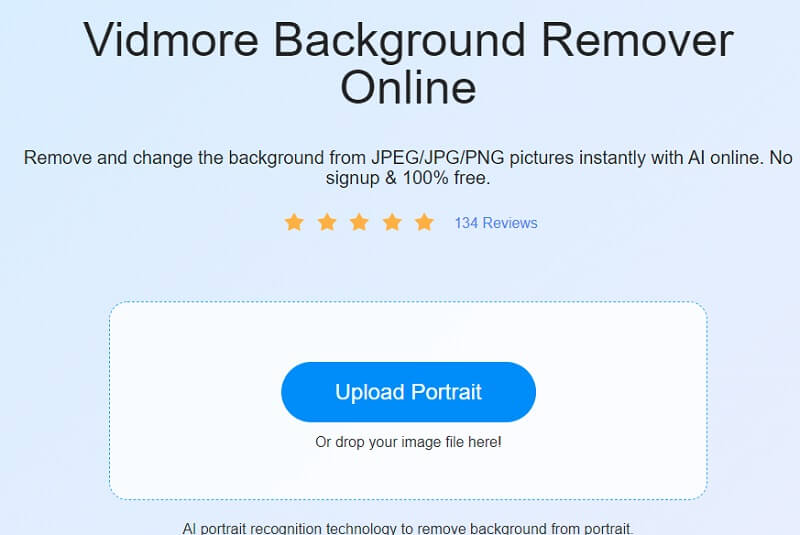
The Vidmore オンラインフリー背景削除 is the website that people turn to when they want to change the background of a picture for free. To put it simply, it is a web-based background replacer that you can use from both Mac and Windows-based computer systems.
As soon as you submit your images, this program automatically removes the background, making it an excellent alternative for a background changer. It is feasible because of the very sophisticated artificial intelligence put into it! Furthermore, you have the option of changing the background of your shot with one of your own if you so choose.
If you want to give a more professional appearance, you may trim, flip, and twist it! It is compatible with practically any photo format, such as JPG and PNG. Suppose you feel that this online tool will be helpful to you in changing the background of your photographs. In that case, you may like to review the instructions provided below.
Step 1: Look for Vidmore Background Remover Online in your browser. After that, click on the Upload Portrait button in the middle of the screen and choose the picture to use.
Step 2: Artificial intelligence will automatically remove the background upon uploading your image. Therefore you may start editing it. Begin by pressing the Edit button on the upper part of the screen.
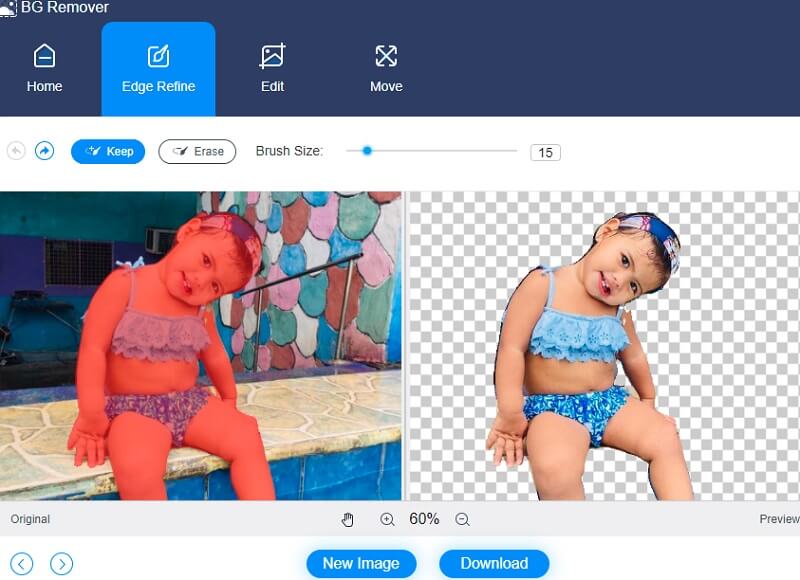
Step 3: When you press the Edit button, a new window with more editing options appears, including the Color, Image, and Crop options. Selecting a color for the top portion of your shot will act as the foundation for creating a background for it. Additionally, you may integrate a backdrop picture with the portrait you're producing. Then, press the Image button.
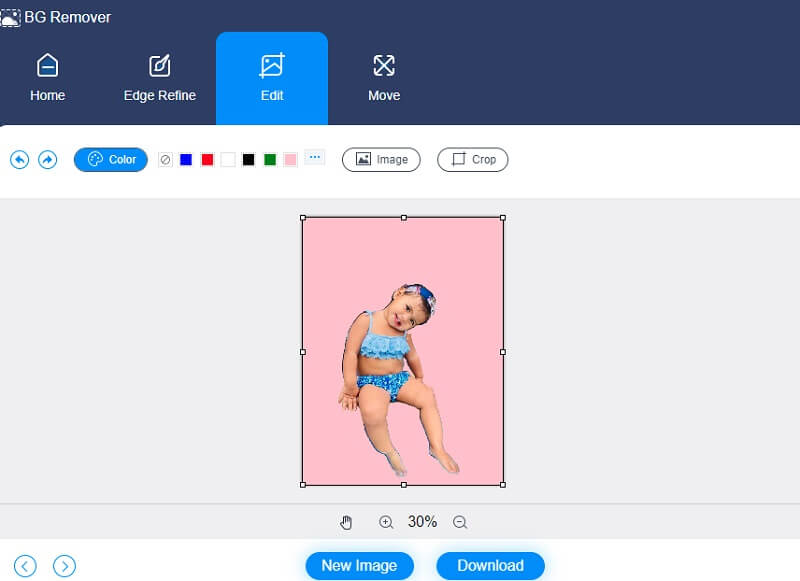
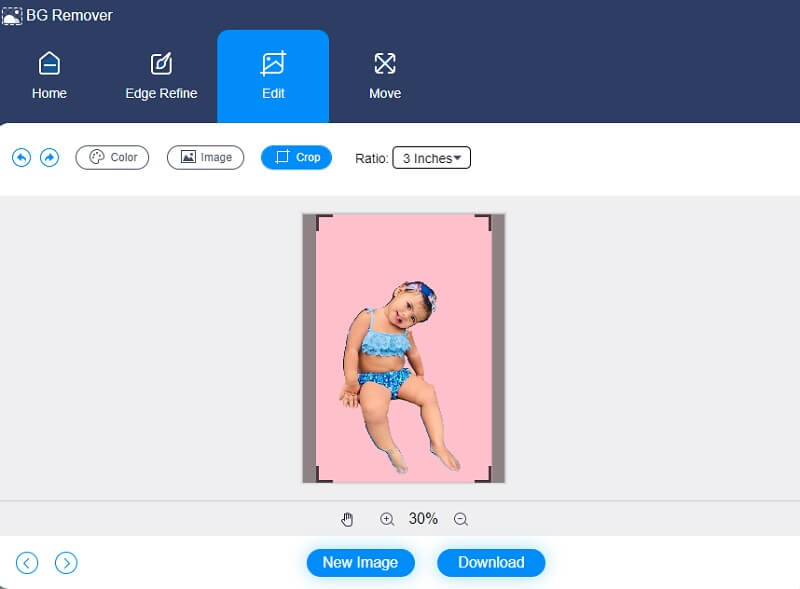
You can also trim the image to a precise percentage with the Crop tool by selecting the required aspect ratio from the drop-down list. Following your selection of that option, you will have the option to resize your image to your liking.
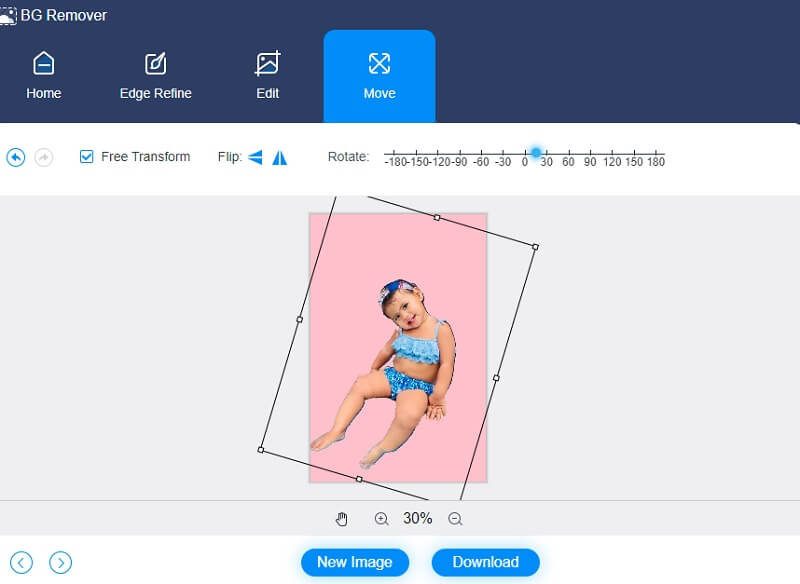
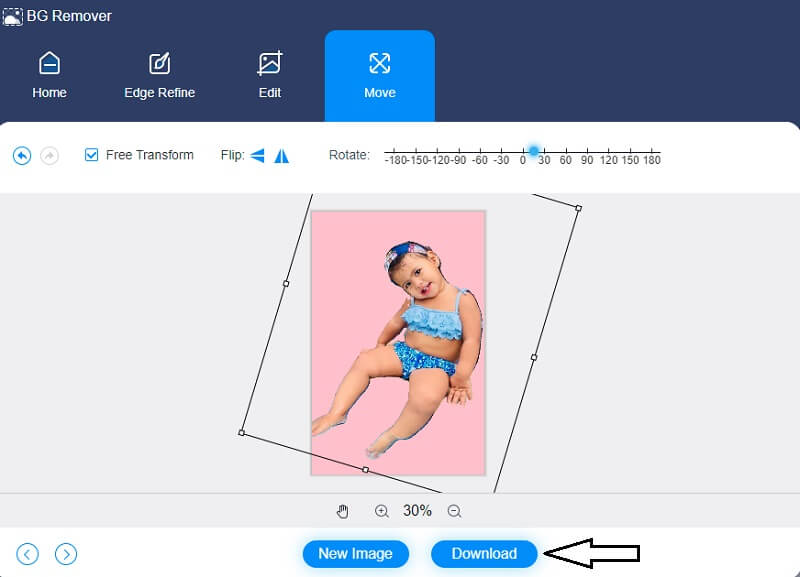
Additionally, you may use the Move tool to adjust your image if you wish to change its measurements while editing. By pressing on the Triangle symbol to the side of the image, you may flip it. You may turn the image by adjusting the scale.
Step 4: After completing your picture, you will be able to download it to your computer by selecting the Download option located in the bottom portion of the screen.
2. PhotoScissors
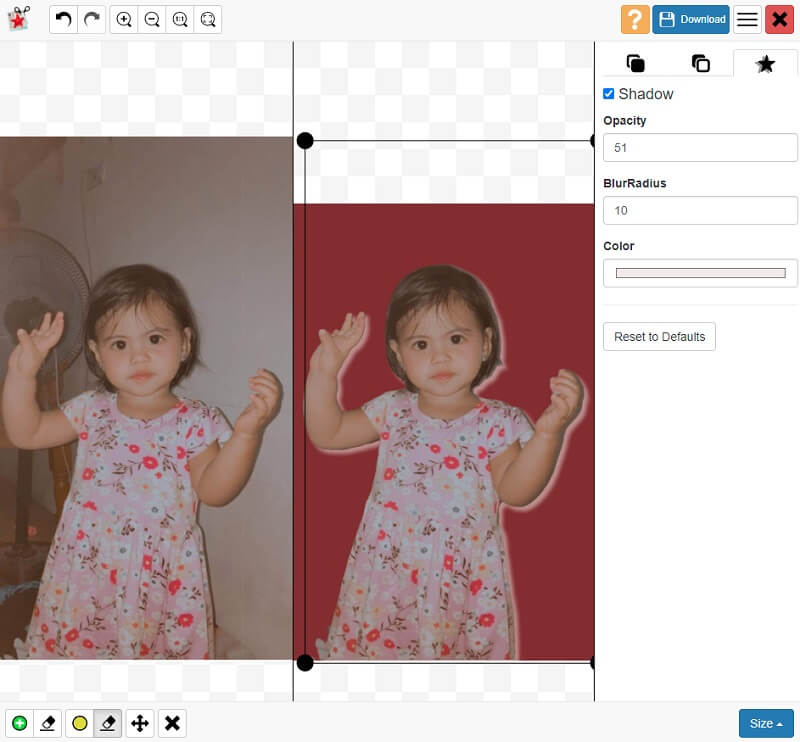
Another excellent photo editor that will help you change the background of your image online is the PhotoScissors. It allows for the auto removal of background from images and replacing it with a transparent, single color or background picture with a few effortless mouse clicks. Furthermore, you may add a shadow and adjust the brightness and softness, which will help to draw attention to the subject more effectively.
Pros of PhotoScissors:
- It supports JPG, PNG, and WebP.
- It allows background replacement.
- It allows you to upload images up to 10MB.
Cons of PhotoScissors:
- It doesn't allow image HD downloading.
- It doesn't allow you to choose images from the web.
3. ClipMagic
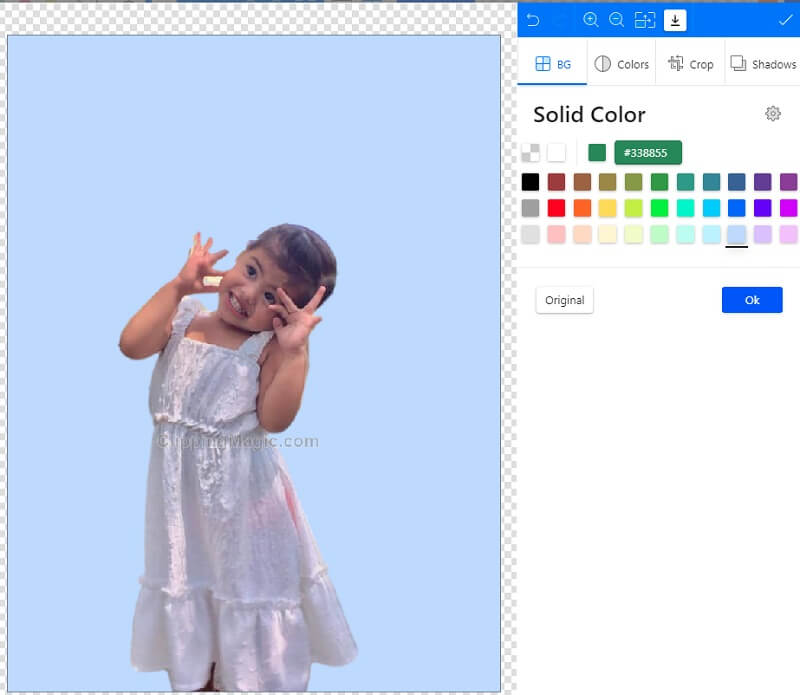
If you have a Windows device and search for a photo editor online, you may consider the ClipMagic. It is a browser-based tool with built-in artificial intelligence that automatically removes an image's background. This tool allows you to adjust your picture's brightness, shadow, temperature, and saturation to enhance it even more.
Pros of ClipMagic:
- It has rich photo editing tools.
- It has artificial intelligence.
Cons of ClipMagic:
- Sometimes it experiences crashing.
Part 2. Photo Editor Software to Change the Background Offline
4. GIMP
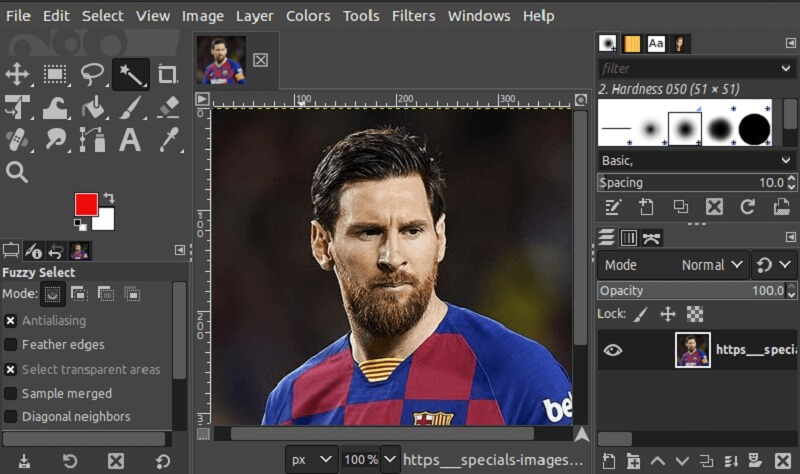
GIMP is a powerful graphics editing program that you may use to create and edit graphics in a professional setting. It is compatible with the Microsoft Windows, Linux, and Mac OS X operating systems. One such feature is creating a customized interface, which makes it simpler to use the application. You will be able to make adjustments to the picture to suit your preferences, such as changing the color, size, and many more.
Pros of GIMP:
- It has a high degree of compatibility.
- 完全に無料で利用できる。
- It has a sufficient amount of disk storage capacity.
Cons of GIMP:
- The installation is sometimes challenging.
5. Canva
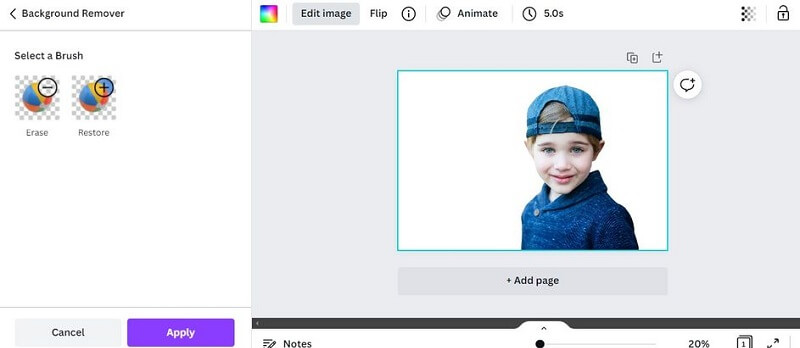
It is possible to access Canva from various platforms, including mobile phones and tablets, as well as from Mac and Windows computers. Canva's popularity has increased in recent years due to its customer interface and layout editing features. Numerous individuals are unaware that Canva includes a very effective background image removal tool. Aside from that, it makes it easy to improve your images with the aid of its extensive set of editing tools.
Pros of Canva:
- It has various editing tools.
- It can edit video clips.
Cons of Canva:
- Background Changer is not available on the free version.
さらに読みたい方へ:
How to Make Transparent Background in GIMP [100% Working]
Photoshop で背景を簡単かつスムーズに透明にする方法
Part 3. FAQs About Photo Editors to Change the Background
Can I use ClipMagic for free?
ClipMagicは、サブスクリプションなしで、または無料でご利用いただけます。
Which is better, Canva or Photoshop?
すぐに使えてシンプルで、しかも豊富な素材が最初からそろっているツールを探しているなら、Canva が最もコストパフォーマンスに優れています。一方で、プロ品質の写真を生成したり、細かな欠点をレタッチしたり、本格的なアート作品を作りたいのであれば、Photoshop が間違いなく最もお得な選択と言えるでしょう。
What is the importance of a photo editor to eCommerce?
これらを活用することで、消費者に「どのようなものが手に入るのか」を明確にイメージしてもらうことができます。写真のクオリティが高いと、製品に対する第一印象が良くなります。それは、あなたの製品が高品質であることを示すものでもあります。
まとめ
Because of the demand for photo editing, especially in the eCommerce industry, it is necessary to know different photo editors to change the background of your image to attract more consumers. It is also applicable if people are looking for a way to make fun of their images. Whatever the reason, may you find this review a helpful instrument to edit your images.